Choose a GB package
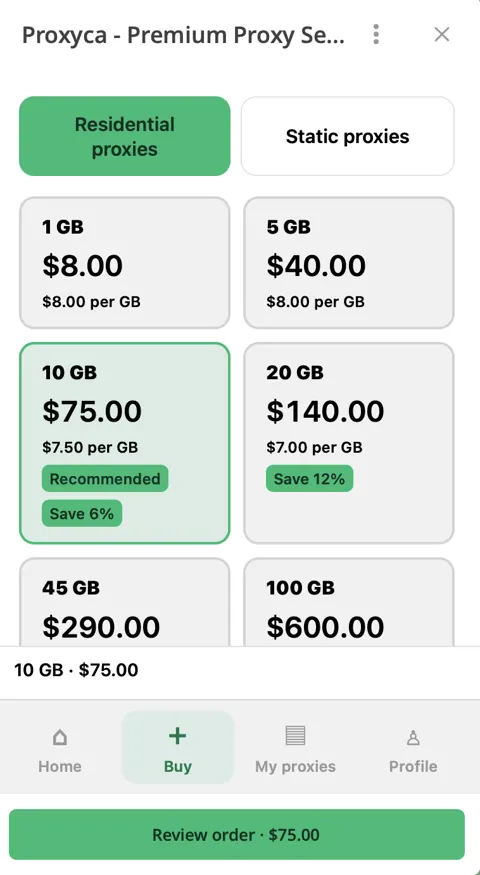
Open the bot, choose Residential proxies and pay for your traffic package.
Access 64M+ residential IPs in 195+ countries. Choose your country, city and IP rotation — all from Telegram. Start with 1 GB for $8.
Choose your package ↓Buy and manage proxies in @resproxyca_bot
Pay for GB, then generate the proxies your application needs. The allowance is traffic, not a monthly subscription.
| Traffic | Total | Per GB | Save | Choose plan |
|---|---|---|---|---|
| 1 GB | $8$8.00/GB | $8.00 | — | Buy |
| 5 GB | $40$8.00/GB | $8.00 | — | Buy |
| 10 GB | $75$7.50/GB | $7.50 | 6.2% | Buy |
| 20 GB | $140$7.00/GB | $7.00 | 12.5% | Buy |
| 45 GB | $290$6.44/GB | $6.44 | 19.4% | Buy |
| 100 GB | $600$6.00/GB | $6.00 | 25% | Buy |
| 250 GB | $1,250$5.00/GB | $5.00 | 37.5% | Buy |
Start with 1 GB to test your setup before choosing a larger package. Savings are relative to the 1 GB unit price.
Open the bot, choose Residential proxies and pay for your traffic package.
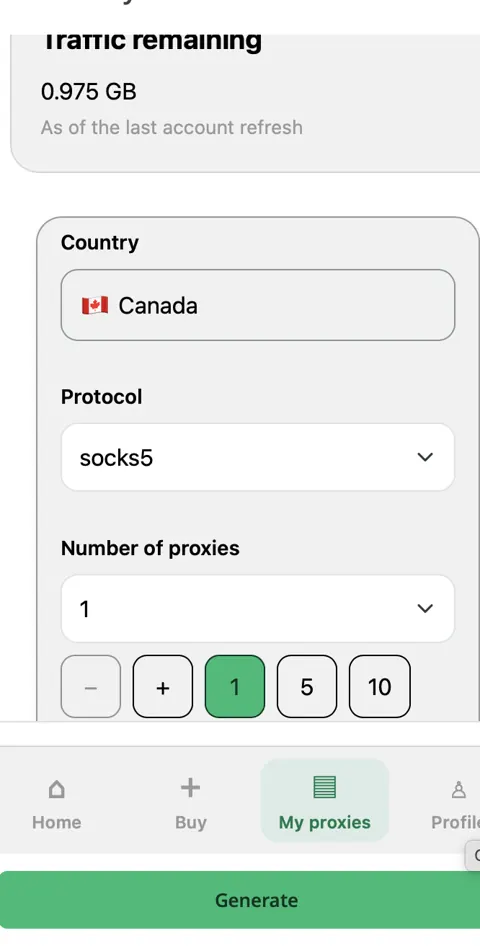
In My proxies, choose quantity, country, city, protocol and rotation or a sticky session.
Choose your output format, generate the list and copy the connection details into your browser or client.
Need static IPs instead? Explore datacenter proxies →
| Available pool | Access to 64M+ residential IPs across 195+ countries. |
|---|---|
| Billing | Pay per GB. Purchased residential traffic never expires. |
| Location | Country and city selection in the generator. |
| Protocol | HTTP/HTTPS or SOCKS5. |
| IP changes | Rotating connections or a sticky session. |
| Sticky duration | From 1 hour up to 2 months, depending on the selected location. |
| Quantity | Choose how many proxy entries to generate from your GB balance. |
| Output | Multiple formats, including host:port:username:password. |
Choose the matching workflow or setup guide for your application.
Access 64M+ residential IPs across 195+ countries, with country and city selection in the generator.
No. Purchased residential traffic stays on your GB balance until you use it.
Buy a GB package, then open My proxies → Generate. Select your country, city, protocol, quantity and rotation or a sticky session.
Sticky sessions range from 1 hour up to 2 months. Longer sessions are available in selected locations.
Use HTTP/HTTPS or SOCKS5 in compatible browsers, automation clients and data collection tools. Our setup guides show the fields for popular profile browsers.
Open My proxies to generate connections, copy your list and retrieve saved proxies. The bot also shows your remaining traffic.
Follow the matching browser setup guide or contact Proxyca support in Telegram for help with your connection settings.
Open the bot, buy a GB package and generate proxies with the settings your workflow needs.
Buy in Telegram ↗Opens @resproxyca_bot in Telegram
Prepare your proxy list, test a connection and compare your browser IP.